● E-Way Bill Guides · Last checked: November 2026
How to Change Your Mobile Number on the E-Way Bill Portal
Blog · Published 9 November 2026 · 8 min read

You cannot type a new mobile number into the E-Way Bill portal for your GSTIN. The number comes from your GST registration, so you change it on gst.gov.in through a non-core amendment of the authorised signatory’s details. The E-Way Bill portal picks up the new number on its own within about a day, or straight away if you use its update option.
A sub-user’s number works differently. That one is kept inside the E-Way Bill portal, and only the main user can change it. Pick your case from the table below and follow only that part.
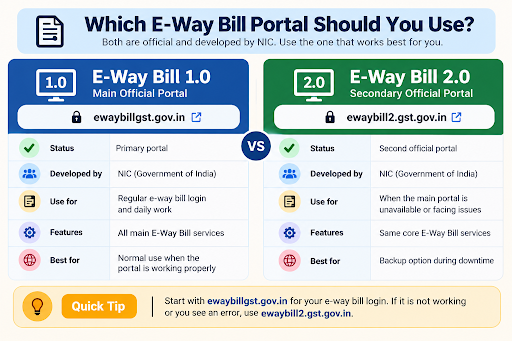
Independent guide: ewaybillinfo.com is not the government E-Way Bill or GST portal and has no link with GSTN, NIC or the Government of India. We never ask for your password or OTP. Enter them only on the official gst.gov.in, ewaybillgst.gov.in or ewaybill2.gst.gov.in sites.
Whose number needs to change?
| Your situation | Where the change is made | Who can do it |
|---|---|---|
| Main login of a GST-registered business (the authorised signatory’s number) | GST portal, then synced to the E-Way Bill portal | Anyone with the GST portal login for that GSTIN |
| Sub-user (staff, accountant, branch user) | E-Way Bill portal: User Management | The main user only |
| Transporter with a GSTIN | GST portal, same as a business | Holder of the GST login |
| Transporter enrolled without GSTIN (has a TRANSIN) | E-Way Bill portal Update menu, or the helpdesk | The enrolled transporter |
| Numbers registered for SMS-based e-way bills | Re-register under Registration > For SMS after the user’s number changes | Main user |
Before you start, keep these ready
Checklist
- The GST portal username and password for the GSTIN (not the E-Way Bill login)
- The new mobile number, with that phone in your hand. The OTP goes to the new number and the new email together, and it lasts only 10 minutes
- The email ID you want on record, if that is changing too
- Know which person’s details you are changing: the primary authorised signatory, another signatory, or a promoter/partner who is also the signatory
- For a sub-user: the main user’s E-Way Bill login and the sub-user’s new number
Do this from a computer if you can. The amendment form has several tabs, and it is easy to miss the Submit button on a small screen.
Change the number for your GSTIN: part 1 on the GST portal
These steps follow the official GST portal user guide on non-core amendments. A change of mobile number or email is a non-core field, so no tax officer has to approve it.
Step 1. Open the amendment form
Log in at gst.gov.in and click Services > Registration > Amendment of Registration Non-Core Fields. The form opens with your current registration details split into tabs.
Step 2. Go to the Authorized Signatory tab
Click the Authorized Signatory tab and press Edit against the signatory whose number has changed. If that signatory is also a promoter or partner, the GST guide says to make the edit from the Promoter/Partner tab instead; the Authorized Signatory tab then shows the new details on its own.
Step 3. Enter the new number and save
Type the new mobile number (and email, if needed) and click Save. An OTP verification box opens.
Step 4. Verify with the OTP
When you edit from the Authorized Signatory tab, one common OTP is sent to both the new mobile and the new email, valid for 10 minutes. From the Promoter/Partner tab you get two separate OTPs, one on each. Enter them and continue.
Step 5. Submit the application
Click Submit and complete any signing step the portal shows. The GST guide says the acknowledgement reaches your registered email and mobile within about 15 minutes. Check the registration details again the next day to be sure the new number is showing.
Part 2: get the new number into the E-Way Bill portal
The CBIC FAQs on the E-Way Bill system say the E-Way Bill system does not let a taxpayer edit the mobile number, email, name or address directly. Once you change them on the GST portal, they reach the E-Way Bill system automatically within a day. If you cannot wait, push the update yourself.
Step 1. If you can still log in
Log in at ewaybillgst.gov.in, open the Update menu and choose My GSTIN from Common Portal (CP). This pulls your latest GST details, including the mobile number, into the E-Way Bill portal straight away.
Step 2. If the OTP is stuck on the old number
Open Forgot Password (or Forgot Username) on the official login page. The NIC user manual says that when your GST details are not reflected there, you can use the option to update details from GST CP and then try again. The new number should then receive the OTP.
Step 3. Log in and check
After logging in, look at your profile details and confirm the new number is there. Then do the follow-up jobs in the section on what to redo after the change, further down this page.
Changed the number but the OTP is still not reaching you? Work through our guide to e-way bill OTP not received. It covers DND, network delays and the NIC-GST-Shield app.
Change a sub-user’s mobile number
Each sub-user logs in and gets OTPs on the number saved for that sub-user. NIC’s 2FA note confirms that sub-users authenticate on their own registered mobile. So when a staff member changes their SIM, the GST portal does not come into it at all. The main user fixes it.
Step 1. Main user logs in
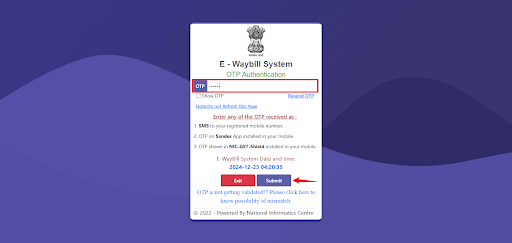
The main user signs in to the E-Way Bill portal with their own username, password and OTP.
Step 2. Open Update Sub-User
Go to User Management > Update Sub-User and select the sub-user. As per the NIC user manual, this works the same way as creating a sub-user, and the change is confirmed with an OTP on the mobile.
Step 3. Save and test
Save the details, then ask the staff member to log in once from their own phone while you are both available. If the OTP reaches them, you are done.
If the person has left the company, do not just change the number to someone else’s. Freeze that sub-user under User Management > Freeze Sub-User (a frozen sub-user can no longer log in) and create a fresh sub-user for the new person. The CBIC FAQ asks businesses to freeze sub-users when staff resign or move, so that nobody misuses an old login. Creating a sub-user is covered in our E-Way Bill registration guide.
Transporters: GSTIN or TRANSIN?
Transporter with a GSTIN
Your E-Way Bill details come from GST registration like any other business. Use the GST portal amendment in Part 1, then Part 2 to pull it into the E-Way Bill portal.
Transporter enrolled without a GSTIN
If you enrolled on the E-Way Bill portal with PAN and got a 15-digit TRANSIN, there is no GST record to amend. The NIC user manual shows an Update My Transporter screen under the Update menu for enrolled transporters, but it does not list which fields can be edited. Log in and check that screen first. If the mobile number cannot be edited there, or you cannot log in because the OTP goes to the old number, raise a ticket with the GST helpdesk and attach your TRANSIN and enrolment details.
After the change, redo these three things
| What | Why it matters | What to do |
|---|---|---|
| SMS-based e-way bill numbers | The Registration > For SMS screen fills in the mobile number saved against the selected user ID. A taxpayer can register up to 2 numbers for SMS use. | Once the user’s number is updated, register for SMS again so e-way bills can be sent from the new phone |
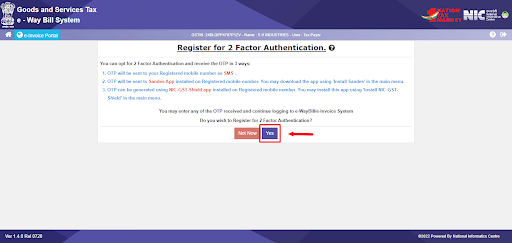
| NIC-GST-Shield app | NIC asks you to install and register the app on your registered mobile number | Set the app up again on the new phone through the 2 Factor Authentication option in the main menu |
| Accounting software (Tally, Busy, ERP) | Most software connects with the E-Way Bill username and password saved in it, not with your phone number | Usually nothing to change. If the software sends OTPs or alerts to a phone, update the number in its own settings |
Also tell whoever handles the GST login in your office. GST portal OTPs and alerts and your E-Way Bill OTPs now go to this one number, so keeping it on the phone of a staff member who may leave is a risk for the business.
If it still does not work
| Problem | Try this |
|---|---|
| GST portal still shows the old number the next day | Check whether you edited the correct signatory, and whether the application was actually submitted. An edit that was saved but not submitted is not applied. |
| GST portal shows the new number, E-Way Bill portal shows the old one | Wait one day for the automatic sync, then use Update > My GSTIN from Common Portal (CP). |
| Locked out because the OTP goes to the old number | Use the update-from-GST-CP option on the Forgot Password screen, as in Part 2. |
| You cannot log in to the GST portal either | Recover the GST login first through the GST portal’s own forgot username or password options. |
| Sub-user’s OTP still goes to the wrong phone | Ask the main user to recheck the number under Update Sub-User, or freeze it and create a new sub-user. |
| Nothing above works | Call the GST helpdesk on 1800-103-4786 or raise a ticket at selfservice.gstsystem.in with your GSTIN or TRANSIN, the old and new numbers and a screenshot of the error. |
For password, captcha or frozen-account trouble that has nothing to do with the number, see E-Way Bill login not working. For the normal sign-in steps, see our E-Way Bill login page.
Mobile number change FAQs
How long does it take for the new number to show on the E-Way Bill portal?
According to the CBIC FAQ, details changed on the GST portal reach the E-Way Bill system automatically within a day. You can make it happen at once with the update option under the Update menu.
Does a tax officer need to approve the mobile number change?
No. Mobile number and email are non-core fields on the GST portal, and the GST user guide says these amendments do not need processing by a tax official.
Will my E-Way Bill username or password change?
No. Only the number that receives OTPs changes. Keep using the same E-Way Bill username and password.
Can a sub-user change their own mobile number?
No. Sub-user details are managed by the main user under User Management. The sub-user should ask the main user to update or replace the account.
I changed my phone but kept the same number. Do I need to do anything?
Not on the GST or E-Way Bill portal. If you use the NIC-GST-Shield app, install and register it again on the new phone.
Found this useful? Share it with your accounts team.
Related E-Way Bill guides
Number sorted, but login or OTP still giving trouble? These guides cover the next problems people usually hit.
Troubleshooting
E-Way Bill Login Not Working
Fixes for captcha errors, invalid username or password, blocked accounts and portal downtime.
OTP help
E-Way Bill OTP Not Received
What to check when the OTP does not arrive: DND, signal, sub-user numbers and the NIC-GST-Shield app.
Getting started
E-Way Bill Registration
Register with your GSTIN, create a new sub-user, or enrol as a transporter for a TRANSIN.
-
E-Way Bill Limit in Maharashtra: ₹1 Lakh Rule and Exemptions
Read the guide →: E-Way Bill Limit in Maharashtra: ₹1 Lakh Rule and ExemptionsMaharashtra needs an e-way bill inside the state only above ₹1 lakh, with no separate city limit, and goods going…
-

E-Way Bill Limit in Rajasthan: ₹50,000, ₹1 Lakh or ₹2 Lakh?
Read the guide →: E-Way Bill Limit in Rajasthan: ₹50,000, ₹1 Lakh or ₹2 Lakh?Rajasthan has three e-way bill limits: ₹50,000 for goods crossing the state border, ₹1 lakh within the state and ₹2…
-
How to Cancel an E-Way Bill: 24-Hour Rule and Steps
Read the guide →: How to Cancel an E-Way Bill: 24-Hour Rule and StepsCancel an e-way bill within 24 hours of generation from the login that made it: see how the clock runs,…
ewaybillinfo.com
Independent guides to E-Way Bill login, registration, generation, management, limits, penalties and latest updates. Always use the official government portal for account actions.
Guides
Official portals
© 2026 ewaybillinfo.com. All rights reserved.
Independent informational website. ewaybillinfo.com is not affiliated with, endorsed by, or operated by the Government of India, GSTN, NIC, CBIC, or the official E-Way Bill portal. Information on this site is provided for general guidance and may change as government rules, portal features, or procedures are updated. Always verify important details on the official government portal before taking action. We never ask for your E-Way Bill password, OTP, login credentials, or other sensitive account information.